
.CSV Creation Help
If your StreamSource hosting package includes calendar display you have the option to upload an Excel spreadsheet saved as a .CSV file. For step by step instructions on uploading a file click here.
This file can be made entirely in Excel from one of the templates below, or can be copied and pasted into Excel from a table appearing on a website.
For best results:- Do not use commas in your schedule (the .CSV file format uses commas to separate cells)
- The schedule should be rectangular (equal number of columns in each row)
- If copying from a table on a webpage the entire schedule should be made up of one table or the empty rows should be edited out in Excel
- Limit the use of non-web friendly charachters (those not found on your keyboard)
- Merged cells will be ignored. Alternately you could add "continuted" to the corresponding cells below the show title
Example schedules for download:
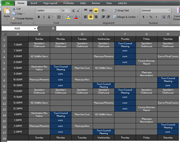
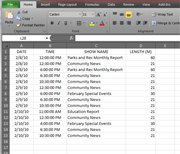
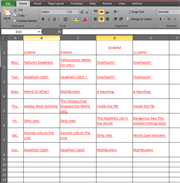
| Decorated spreadsheet | Simple list | Copy and paste from a website |
| Download Week1.xls | Download SimpleList.xls | Download CopyPaste.xls |
 |
 |
 |
Please email support@rushworks.tv with any questions.
